


Tools · · 5 min read
Figma Config 2026: what you can use today, and what's still a waitlist
Code Layers, Figma Motion, shader fills, generative plugins and a bigger Figma agent. What each one does, and which you can actually open in Figma today.
Figma announced six headline products at Config on 24 June 2026. Some are available now; others are behind a waitlist or partly rolled out. Most recaps list features. This one sorts them by what you can use today, using Figma's own Config 2026 recap as the source.
Availability changes quickly after a launch, so check Figma's release notes for anything you plan to rely on.
At a glance
| Announcement | What it is | Status announced at Config |
|---|---|---|
| Figma Motion | Timeline animation inside Figma Design | Generally available |
| Shader fills and effects | AI-generated visual effects and fills | Available; interactive shaders coming later |
| Figma agent (expanded) | Skills, connectors and attachments for the AI assistant | Launched to everyone; FigJam and Slides on a waitlist |
| Generative plugins | Describe a tool and get a plugin, no coding | Shareable within files; wider publishing coming later |
| Figma Weave tools | Node-based AI workflows connected to the canvas | Canvas integration announced; team and community publishing coming later |
| Code Layers | Turn design layers into interactive code on the canvas | Early-access waitlist, rolling out from July 2026 |
Available now
Figma Motion
Motion is the biggest change for everyday work. It adds a timeline with keyframes and presets inside Figma Design, in the same file as your components and variables. Figma puts it simply: "Motion now lives on the canvas."
According to the recap, you can export animations as MP4, WebM, animated SVG and GIF, and as code (CSS, JSON and React), with more formats in development.
Why it matters: animation specs no longer have to live in a separate prototyping tool or in a video. That helps with the most common handoff problem, where developers guess at timing and easing. You still need to agree on how exported motion maps to your codebase, especially your duration and easing tokens.
Shader fills and effects
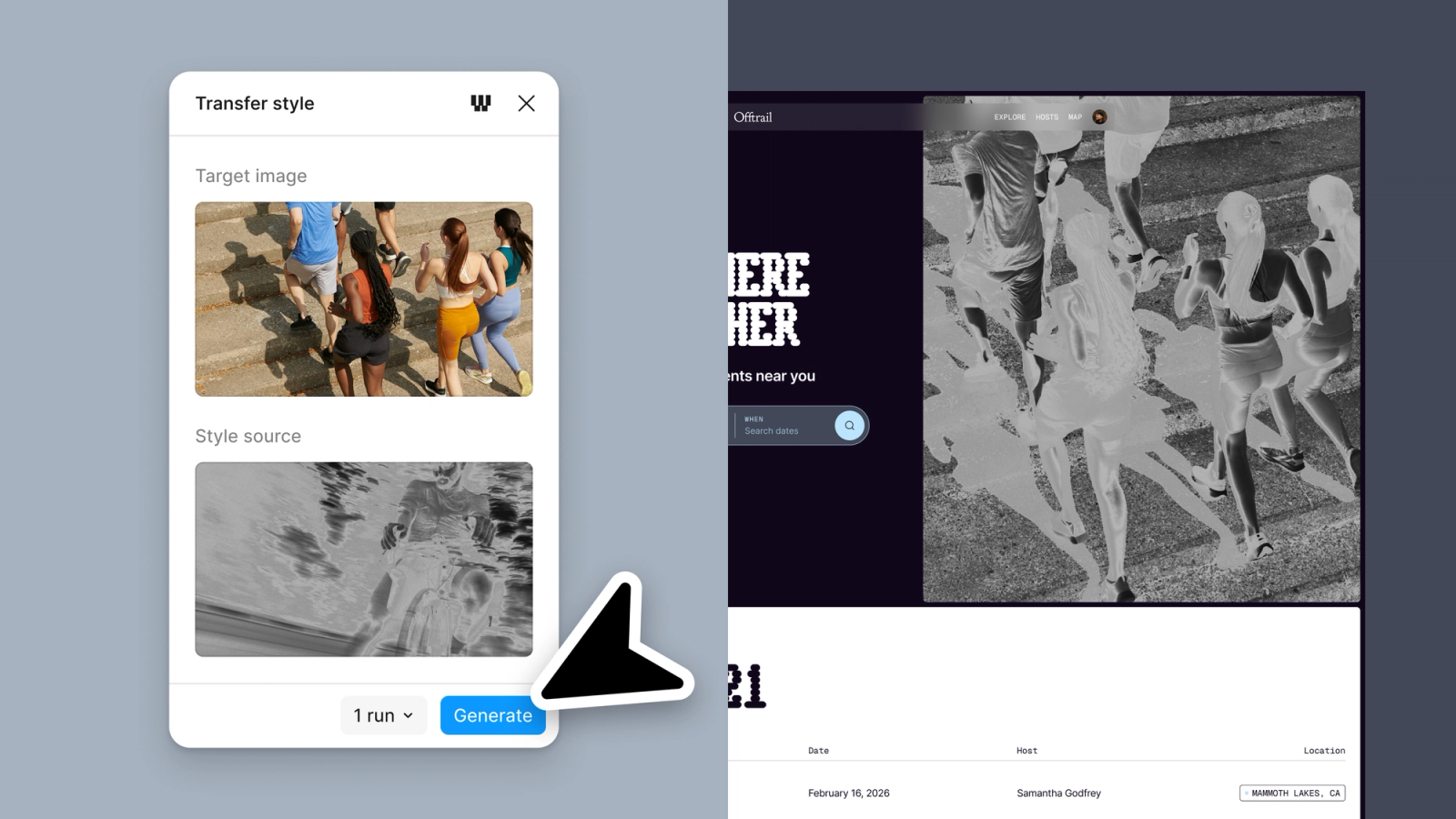
You describe a visual effect, or give an image as a reference, and Figma generates a shader with controls you can adjust on the canvas. Figma draws the line this way: "An effect transforms what's already in the layer, and a fill acts as a new material." Interactive shaders were announced as coming soon.
Why it matters: textures, grain and gradients that used to be exported as images can stay editable. Before you commit a production design to one, check how it will be built. A shader in a Figma file doesn't automatically become a shader on your site. For code options, see shader libraries for the web in 2026.
The expanded Figma agent
The agent now has skills (reusable instructions that "package up your workflows and conventions"), connectors to tools such as Notion, Slack and GitHub, and attachments for context. It launched to everyone in Figma Design. FigJam and Slides are on a waitlist at figma.com/config-betas.

Why it matters: skills are where teams will see the most value. Writing your naming rules, spacing scale and component conventions into a skill once beats restating them in every prompt.
Partly available
Generative plugins
You describe the tool you need, including its "behavior, the controls and the parameters", and Figma builds a plugin with "no local dev environment required". At launch these plugins could be shared within files, with team and community publishing coming later.
Good first uses: small, repetitive jobs specific to your team, such as renaming layers to a convention, generating spacing specs or checking contrast on a set of frames.
Figma Weave tools
Weave brings node-based AI workflows to the canvas: "connect models, transform assets, refine outputs and compare approaches." The integration was announced, with publishing to teams and the community still to come.
Waitlist
Code Layers
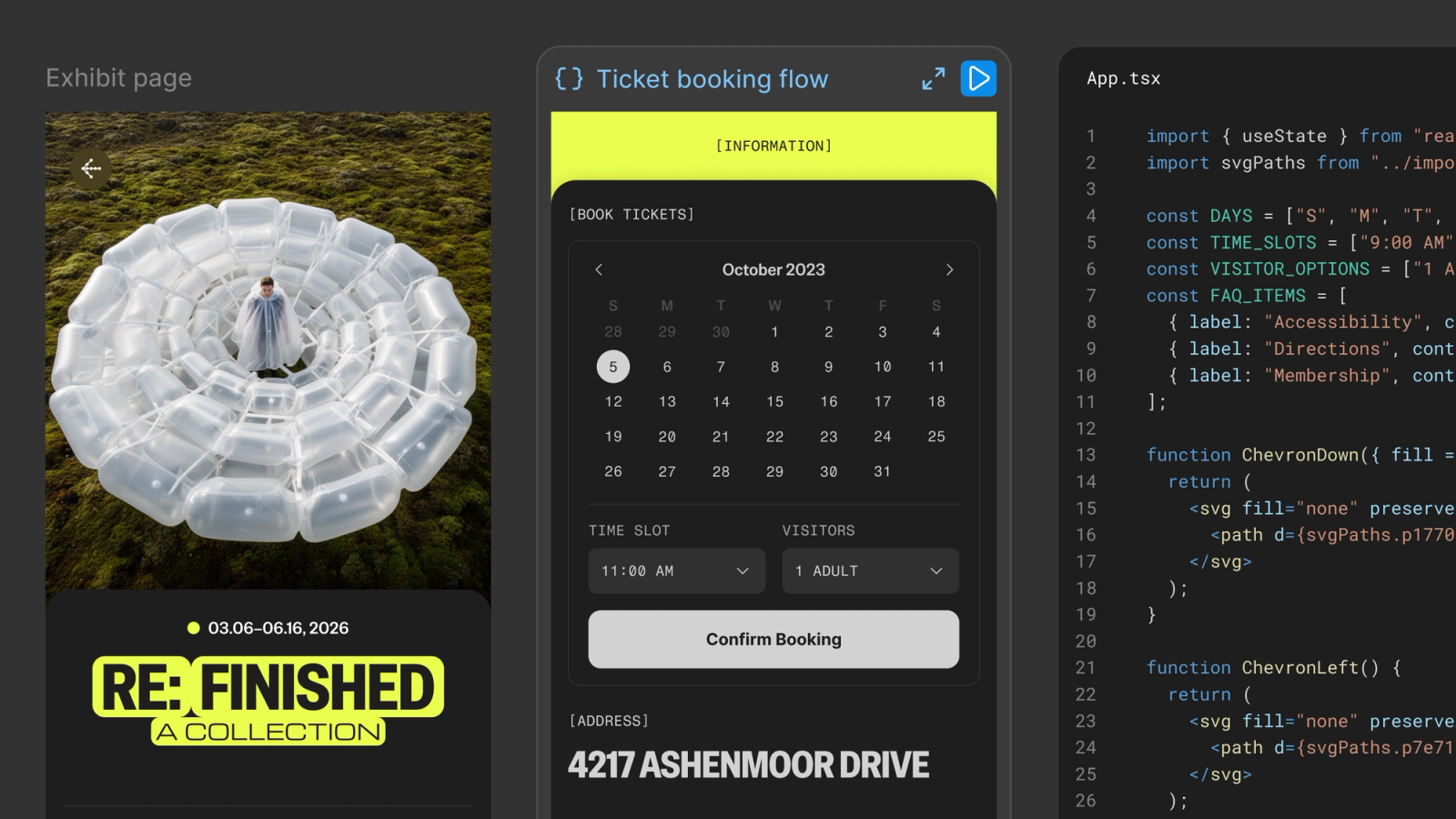
Code Layers is the most ambitious announcement: "turn any design layer into an interactive code layer with just a single click", then duplicate, iterate on and pull frames back into editable design layers. At Config it was early access only, via a waitlist, rolling out from July 2026.
How to prepare: Code Layers will work best for teams whose Figma components already match their code components in names, properties and states. If yours don't, tightening that match is useful work now, whether or not you get early access.
What to do this week
- Try Figma Motion on one real component, such as a menu or toast, and give the export to a developer. Note what survived the trip.
- Write one agent skill that holds your team's naming and spacing rules.
- Join the Code Layers waitlist if design–code handoff is your main bottleneck.
- Keep shader effects to exploration until you know how they'll be built for production.
FAQ
When was Config 2026?
Figma's recap is dated 24 June 2026.
Is Figma Motion free?
The recap doesn't give plan details. Check Figma's pricing page for which plans include Motion.
Can I use Code Layers now?
At launch it was early access via a waitlist, rolling out from July 2026. Check your account or Figma's release notes for current status.
Do shader fills export as code?
The recap describes shader fills as generated, adjustable effects on the canvas and doesn't detail a code export. Motion is the feature with documented CSS, JSON and React export.
Sources
More to read
- Design
Design · · 3 min read
Squircles in CSS: how corner-shape works, and how to ship it safely
The corner-shape property gives CSS real squircles, scoops and notches. How it works with border-radius, browser support, and a fallback that needs no extra code.
- Design
Design · · 4 min read
Designing motion for people who asked for less of it
Reduced motion doesn't have to mean no motion. What prefers-reduced-motion covers, what WCAG asks for, and how to decide what stays, what changes and what goes.