


AI · · 7 min read
Keeping a character, a product and a style consistent across a set of images
Four mechanisms for stopping drift across a series: chained edits, locked constraints, reference images and structural conditioning, with the limits each one has.
One image is easy. A set is the job. The same face across eight panels, the same bottle across a campaign, the same illustration style across forty spot drawings: that is where most AI image work falls apart, and re-rolling the prompt until it matches is not a method.
There are four mechanisms that actually hold a set together, and every current model gives you at least one of them. Chain the edits so the model keeps its own context. Lock what must not change, in words, every time. Feed it reference images. Or lock the geometry with a depth or edge map and let it repaint only the surface.
Sources for everything below: Google's Nano Banana quickstart, OpenAI's image prompting guide, and the FLUX and Qwen-Image repositories, all read on 20 September 2026. The example images are each maker's own published output.
1. Chain the edits instead of re-prompting
The cheapest consistency comes free with conversational models. In Google's Gemini image API you pass previous_interaction_id when you ask for a change, and Google's documentation is explicit about why: it lets the model keep character and style consistent across edits without you re-uploading the image.
Google's own walkthrough runs five turns on one toy figurine: make it, add a detail to its hat, move it to a beach, put it in a wingsuit, then bring it back to the bedroom as a wide panoramic shot. The subject survives all five, including a change of aspect ratio on the last one.
The practical shape for a character sheet:
Turn 1  Establish the character. Describe face, build, wardrobe, palette,
        and the drawing style in one prompt. Get this one right before moving on.
Turn 2  Same character, three-quarter view, neutral background.
Turn 3  Same character, full body, walking, side view.
Turn 4  Same character, waist up, laughing.
Turn 5  Same character, in the scene from the brief, wide format.
Two cautions. Drift accumulates, so re-state the critical details every few turns rather than trusting the chain forever. And a chain is a thread, not a file: build the reference frames you want to keep as saved images, because a conversation is a bad archive for a brand asset.
2. Say what must not change, every single time
OpenAI's guide gives the most disciplined version of this. For edits it recommends "change only X" plus "keep everything else the same", and repeating the preserve list on each iteration to reduce drift. When the edit should be surgical, it goes further and tells you to say that saturation, contrast, layout, arrows, labels, camera angle and surrounding objects must not change either.
Its clothing try-on example reads like a retoucher's brief, and that is the point: lock the face, facial features, skin tone, body shape, pose, hair and expression, change only the garments, and match lighting, shadow and colour temperature so the result does not look pasted on.
Change only: [the one thing].
Keep identical: face, facial features, skin tone, hair, expression, pose,
body proportions, camera angle, framing, background, colour grade, and layout.
Do not add: text, logos, watermarks, accessories, or new objects.
Match the lighting direction, shadow softness and colour temperature of the original.
The reason this works better than "make her jacket red" is that a generative edit is a re-generation. Nothing is preserved unless preservation is part of the brief.
3. Feed it references, and say what each one is for
Multi-image input has quietly become the strongest consistency tool, and the limits differ sharply by model.
| Model | Reference images accepted |
|---|---|
| Nano Banana 2 Lite | Up to 3 |
| Nano Banana 2 and Pro | Up to 14, with up to 6 in high fidelity |
| FLUX.2 [klein] and [dev] | Single reference and multi-reference editing on every model in the family |
| Qwen-Image-Edit-2511 | Multiple image input, with character consistency as the headline change |
OpenAI's rule for using them is the one most people skip: reference each input by index and describe its role, then say how they interact. "Image 1: product photo. Image 2: style reference. Apply Image 2's palette and brush texture to Image 1, keep Image 1's label text exactly as it is."
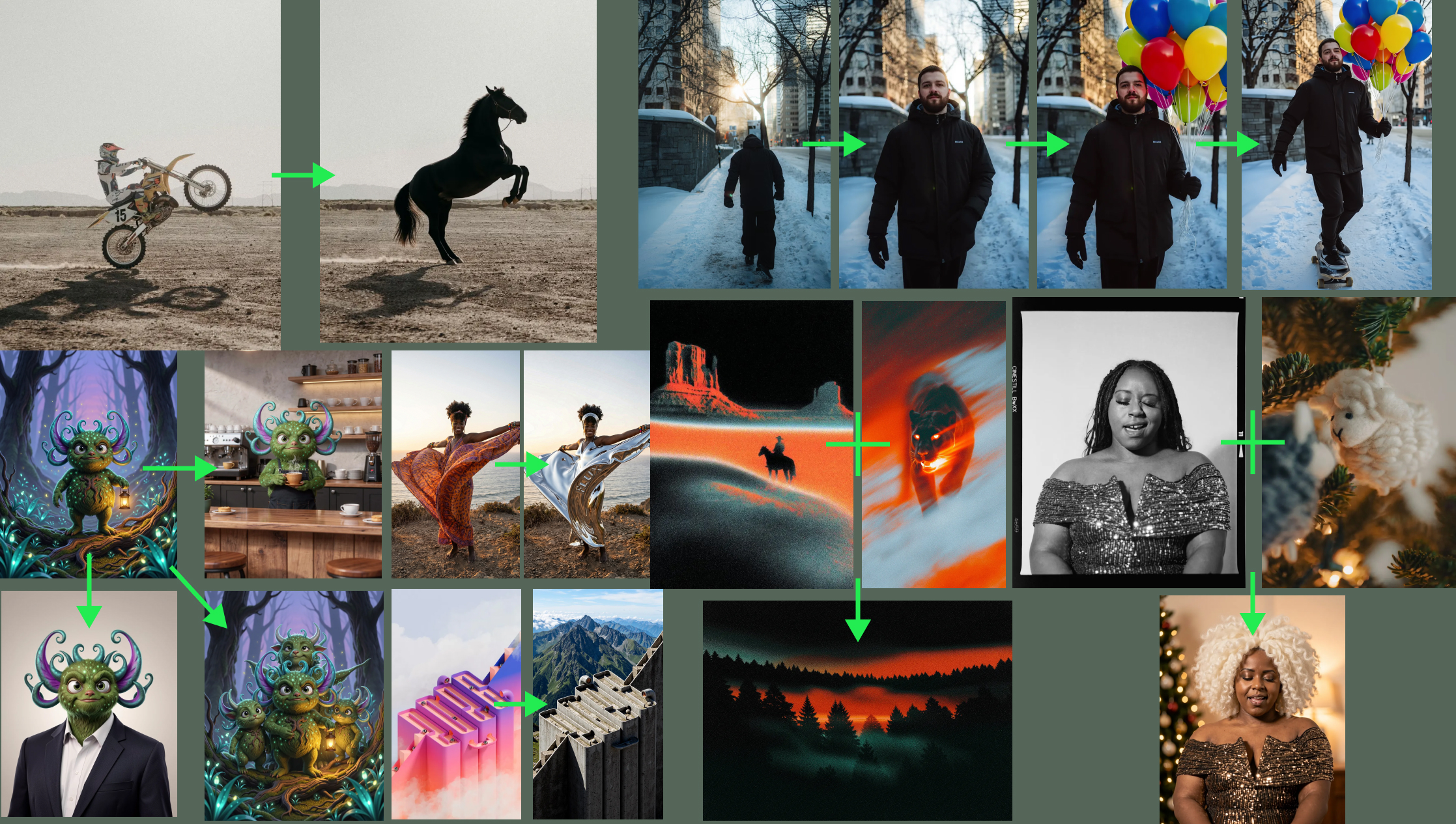
The Qwen team makes a specific claim worth knowing if you work with groups: Qwen-Image-Edit-2511 improves consistency in multi-person photos, and they describe fusing two separate portraits into one coherent group shot. That is their own description of their release, not a measured result, but it names a problem the other releases do not mention.
4. Lock the geometry and repaint the surface
The most under-used mechanism, and the one closest to how designers already work. Black Forest Labs publishes structural conditioning models for FLUX.1 that take a Canny edge map or a depth map from an existing image and hold the composition in place while a text prompt changes everything else. Their own words: preserving the original image's structure through edge or depth maps lets you make text-guided edits while keeping the core composition intact, which they note is particularly effective for retexturing.

Use this when the thing that must stay the same is spatial rather than semantic: a room you are re-dressing in three materials, a packshot you need in four finishes, a layout that has to hold while the art inside it changes.
The sibling model, FLUX.1 Redux, does the opposite job: it takes an image and generates variations of it. Reach for it when you want the family resemblance without the exact frame.
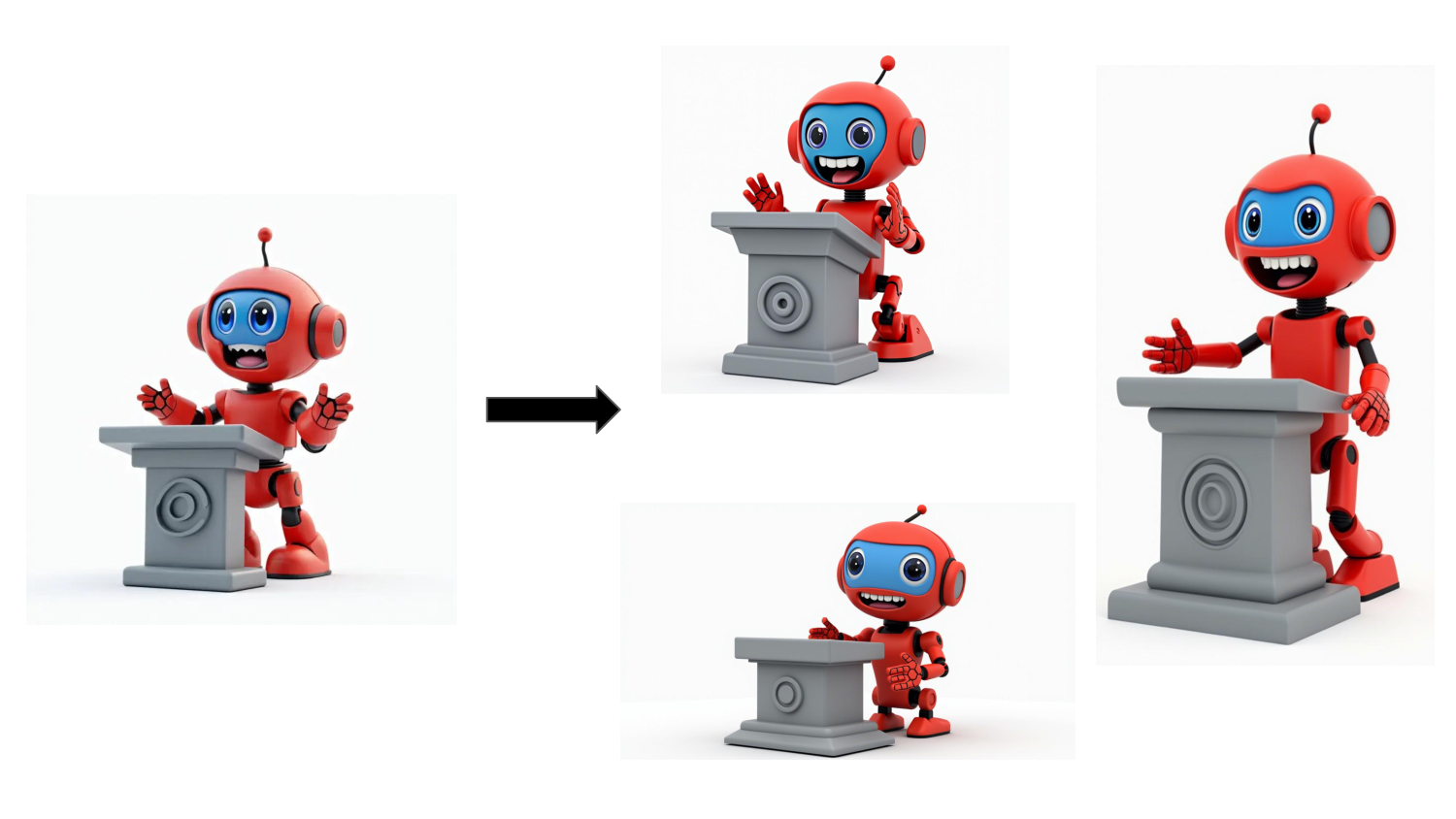
Putting it together for a real set
For a campaign with one hero product and twelve placements:
- Make the hero frame once, at high quality, and treat it as the master.
- Cut the product out against transparency so you have a clean asset outside the model.
- For each placement, edit from the master with the preserve list in the prompt, not from a fresh generation.
- Where composition matters more than content, use a depth or edge map from an approved layout.
- Check the set as a contact sheet, not as single images. Drift is visible in a grid and invisible one frame at a time.
Step five is the one designers already know from photography and keep forgetting with AI. Put the twelve frames on one page at thumbnail size. The one with the wrong nose, the wrong label, the wrong warmth will announce itself.
What still drifts
Small type inside the image. Logo geometry. The exact hue of a brand colour. Hairlines and jewellery. Anything that occupies a few dozen pixels is regenerated rather than copied, so if it must be exact, composite it yourself afterwards rather than asking the model to keep it. That is not a failure of prompting, it is what generation is.
FAQ
Is a chained conversation better than uploading reference images?
They solve different problems. Chaining keeps a subject consistent while you change the scene, and it needs no files. Reference images are better when you need to combine subjects that never existed in the same conversation, or when you have an approved asset that must appear exactly. Most real sets use both.
How many reference images is too many?
Google publishes a hard limit of 14 for Nano Banana 2 and Pro, with 6 in high fidelity, and 3 for the Lite model. Beyond a handful, the more useful discipline is describing each image's role rather than adding more of them. Google's own tip for going past the limit is to combine several references into one collage first.
Does any of this guarantee an identical face?
No. Every maker in this list uses careful language about consistency and preservation, never identity guarantees. For anything where a real person's likeness matters legally or ethically, use a photograph.
Which open model is best for consistent editing?
The honest answer is that no published comparison settles it, and the makers only rate their own. FLUX.2 offers multi-reference editing across the whole family including the Apache 2.0 klein 4B, and the Qwen team claims character consistency as the main gain in Qwen-Image-Edit-2511. Try both on your own character, since the subject matters more than the benchmark. Before committing to one, check what the licences allow.
Sources
- Google, Get started with Nano Banana models, read 20 September 2026
- OpenAI, GPT Image Generation Models Prompting Guide, read 20 September 2026
- Black Forest Labs, FLUX.1 structural conditioning documentation
- Black Forest Labs, FLUX.1 image variation documentation
- Black Forest Labs, FLUX.2 repository, read 20 September 2026
- Qwen, Qwen-Image repository, read 20 September 2026
More to read
- AI
AI · · 7 min read
Directing a video model: the shot language Veo actually understands
Shot composition, camera moves, lens effects, lighting and sound are all promptable. Google's own quickstart lists the vocabulary, and the limits around it.
AI · · 6 min read
Prompt recipes for gpt-image-2, straight from OpenAI's own guide
Photorealism, legible in-image copy, transparent logos and sketch-to-render, written as templates you can paste, with the settings that actually change the result.