


AI · · 7 min read
Which image models can actually set Chinese, Japanese and Korean type
One maker names Chinese, one claims dozens of languages, one says nothing about scripts at all. What the documentation supports, and how to sign off on CJK copy.
If your layout has Japanese, Chinese or Korean copy in it, the question "which model renders text well" stops being a general question. A model that sets crisp English can still produce characters that look right to you and read as gibberish to your client in Tokyo.
Here is what the makers actually document, as of 20 September 2026. Alibaba is the only one that names a script, and the script it names is Chinese. Google claims dozens of languages and shows a Japanese example. OpenAI's guide is entirely script-agnostic. Tencent's largest open model does not mention text rendering in its repository's feature list at all.
Everything below comes from the repositories and quickstarts linked at the end. None of it is a controlled test, and the images are the makers' own showcase picks.
The short answer, by maker
| Model family | What the maker documents about scripts | Read it as |
|---|---|---|
| Qwen-Image (Alibaba) | "Significant advances in complex text rendering", with "exceptional performance in text rendering, especially for Chinese" | The only explicit Chinese claim in this list |
| Nano Banana Pro and 2 (Google) | Generates and translates "complex text, diagrams, and infographics in dozens of languages"; Pro is positioned for "complex typography rendering" | Breadth, with a demonstrated Japanese workflow |
gpt-image-2 (OpenAI) | Nothing about scripts. Advice covers quotes, capitals, spelling words out and the quality setting | Strong on typography generally, silent on CJK |
| HunyuanImage-3.0 (Tencent) | Repository lists architecture, scale and reasoning. Text rendering is not among the key features | Do not assume, even though the docs are bilingual |
What Alibaba claims, and what it shows
Qwen-Image is described in its repository as a 20B model with "significant advances in complex text rendering and precise image editing", and the README adds the clause that matters here: "exceptional performance in text rendering, especially for Chinese".
The team has kept pushing on it. The December 2025 release, Qwen-Image-2512, lists "stronger text rendering, better layout, higher accuracy in text-image composition". The February 2026 release, Qwen-Image-2.0, goes further, listing "professional typography rendering" that "supports 1k-token instructions for direct generation of professional infographics, including PPTs, posters, comics, and more". A separate line in the same release note adds native 2K output.
That last one is a different kind of claim. It is not "the characters come out correct", it is "you can brief a layout in a paragraph and get a poster". Worth your scepticism and worth your afternoon.
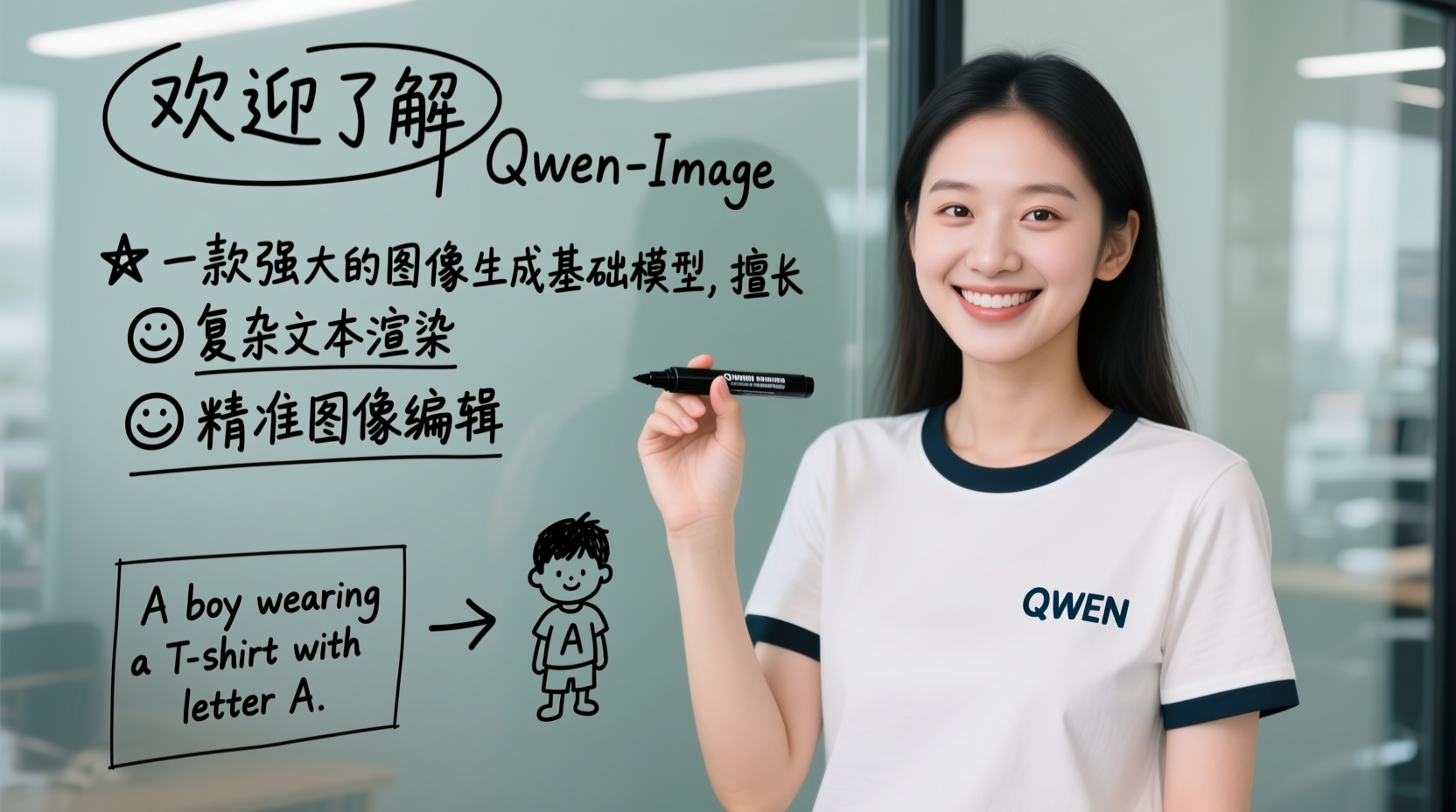
Look at that image the way you would look at a portfolio piece. The interesting thing is not the photograph. It is that the marker strokes stay consistent across dozens of characters, including the thin horizontals that collapse first when a model is guessing at a glyph.
What Google claims, and the workflow worth stealing
Google's Nano Banana quickstart has a section called "Multilingual Text Rendering & Translation", and it states that Nano Banana Pro and Nano Banana 2 "can generate and translate complex text, diagrams, and infographics in dozens of languages". The notebook does not list which ones.
The example is the useful part. Google generates an infographic in Spanish, then sends it back with a one-line instruction: "Translate this infographic into Japanese, keeping everything else the same."
That is the localisation workflow in a sentence. You are not asking the model to redesign anything. You are asking it to swap the strings and leave typography, placement, spacing and hierarchy alone. For a regional campaign running across five markets, it is the difference between one layout and five rebuilds.
OpenAI documents the same manoeuvre for gpt-image-2, with its own example translating an infographic and changing nothing else.
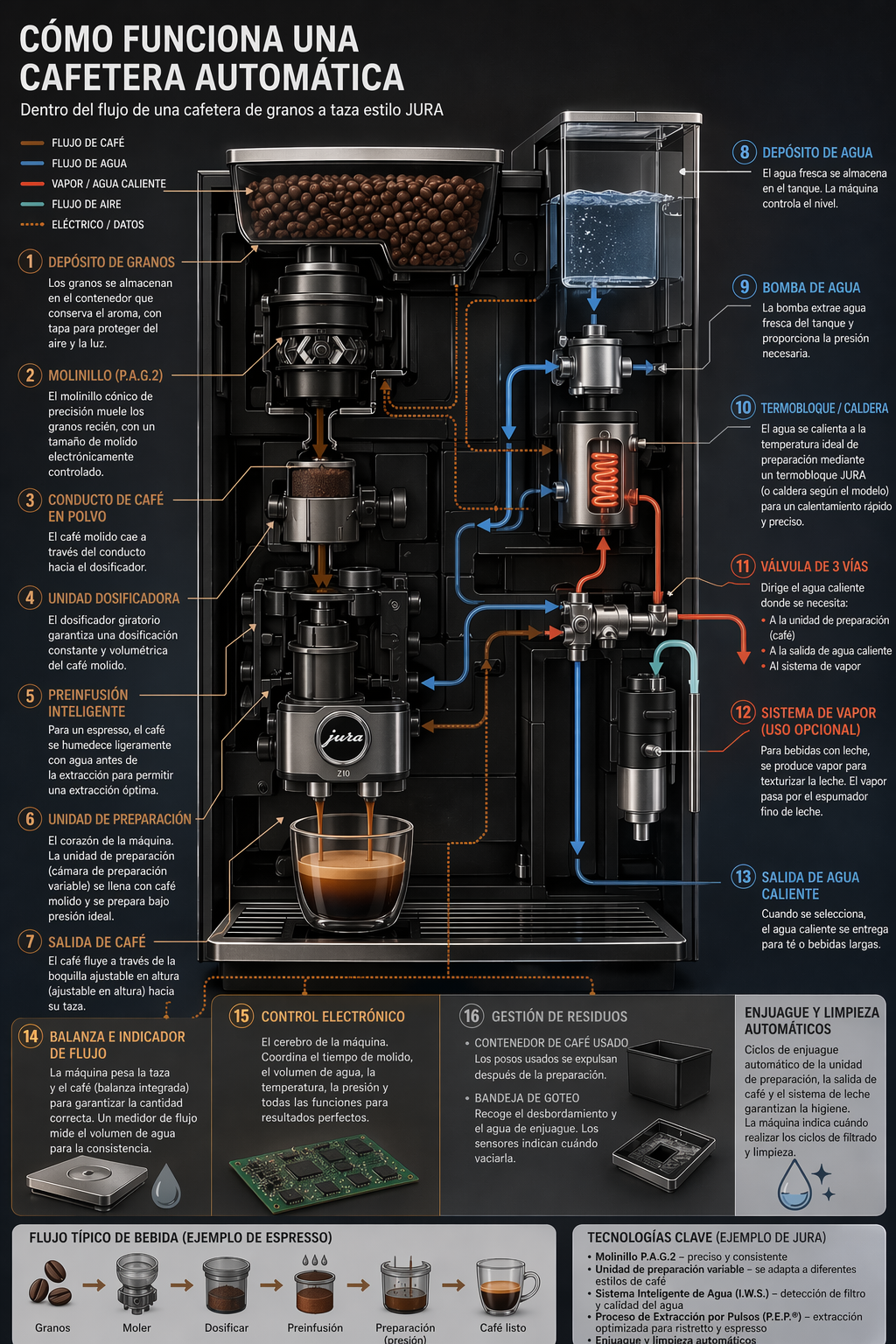
Two cautions before you plan a workflow around it. Neither maker publishes an accuracy figure for translated in-image text, and a translation that is typographically perfect can still be wrong. This is a layout-preserving draft, not a localisation vendor.
The advice that does not transfer
OpenAI's prompting guide gives three rules for text in images: put literal copy in quotes or capitals, spell unusual words out letter by letter, and use the medium or high quality setting for small text, dense information panels and multi-font layouts.
The first and third apply to any script. The second does not. You cannot spell 薔薇 letter by letter, and there is no equivalent trick documented anywhere for disambiguating a character the model is likely to fumble. The closest thing you have is giving the model the string in an input image and asking it to preserve it, which is the translation workflow above running in reverse.
The quality-setting rule is the one to actually internalise if you work in CJK, because character density is exactly the condition it describes. A 12pt Latin caption and a 12pt Japanese caption are not the same problem: the second is carrying far more strokes inside the same box, and strokes are what a model drops first. If you judge your type on a cheap draft pass, you are judging composition, not typography.
What Tencent's repository does and does not say
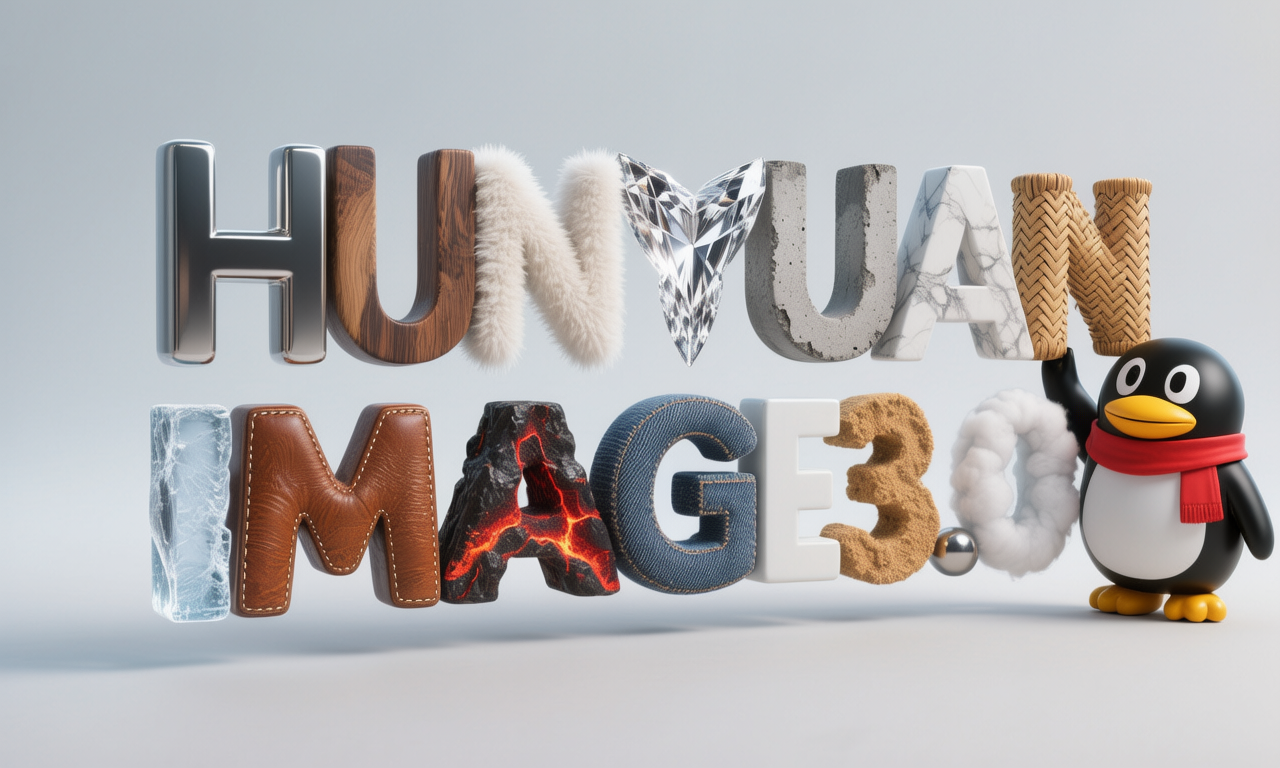
HunyuanImage-3.0 is the largest open-source image generation Mixture of Experts model published, by its own description: 64 experts, 80 billion total parameters, 13 billion active per token. Its repository ships a full Chinese README and links a prompt handbook in Chinese, and a January 2026 release added an Instruct version with reasoning plus a distilled checkpoint.
None of that is a text rendering claim. The key features list covers architecture, scale, image quality and world-knowledge reasoning. A bilingual repository tells you who the team is writing for. It does not tell you the model sets 明朝体 cleanly.
How to sign off on CJK copy in a generated image
This is the part no documentation covers, so treat it as a working method rather than a citation.
- Never approve characters you cannot read. A broken Latin word looks broken to everybody. A broken character often looks like a character. The only reliable check is a native reader looking at the final file at final size.
- Check at 100%, then at the size it ships. Stroke collapse shows up between those two views, not in the preview grid.
- Watch for the almost-character. The common failure is not gibberish, it is a glyph with one stroke too many or a component borrowed from a neighbouring character. It survives a glance and fails a reader.
- Count, do not skim. If the brief says four characters, count four. Models drop and duplicate under pressure, especially in a vertical setting.
- Set the type yourself when the copy matters. Generate the image, set the headline in a real type tool with a licensed face. That is not a defeat, it is how print has always worked, and it gives you kerning, a proper weight and a file you can correct in ten seconds.
Rule five is the honest recommendation for anything that goes to print or carries a brand name. Generated type is for comps, for backgrounds, for texture and for the ten-language mock that has to exist by Thursday.
FAQ
Is any model documented as good at Korean?
Not in these sources. Google's "dozens of languages" presumably covers it, but the notebook does not enumerate them and no maker in this list singles out Korean, Thai, Devanagari or Arabic the way Alibaba singles out Chinese. Absence of a claim is not evidence of failure, but it does mean you are testing without a net.
Does vertical setting work?
No maker in these repositories documents vertical text layout as a supported capability, which is the answer you should assume until you see it work on your own copy. If your layout is vertical, budget time for setting the type yourself.
Which one would you start with for a Chinese poster?
Qwen-Image, because it is the only model whose maker makes a specific claim about Chinese, the weights are open, and Qwen-Image-2.0 claims poster and infographic layouts directly. Start there, then compare against Nano Banana Pro on the same brief, and judge with a reader.
Where does this leave the choice between models generally?
Script handling is one axis of several. The wider comparison of sizes, editing, licensing and cost is in which AI image model for which job, and the output size ceilings that decide what you can print are in the sizes AI image models can actually give you.
Sources
- Qwen-Image repository, including the Qwen-Image-2512 and Qwen-Image-2.0 release notes, read 20 September 2026
- Google, Get started with Nano Banana models, read 20 September 2026
- OpenAI, GPT Image Generation Models Prompting Guide, read 20 September 2026
- Tencent, HunyuanImage-3.0 repository, read 20 September 2026
More to read
AI · · 7 min read
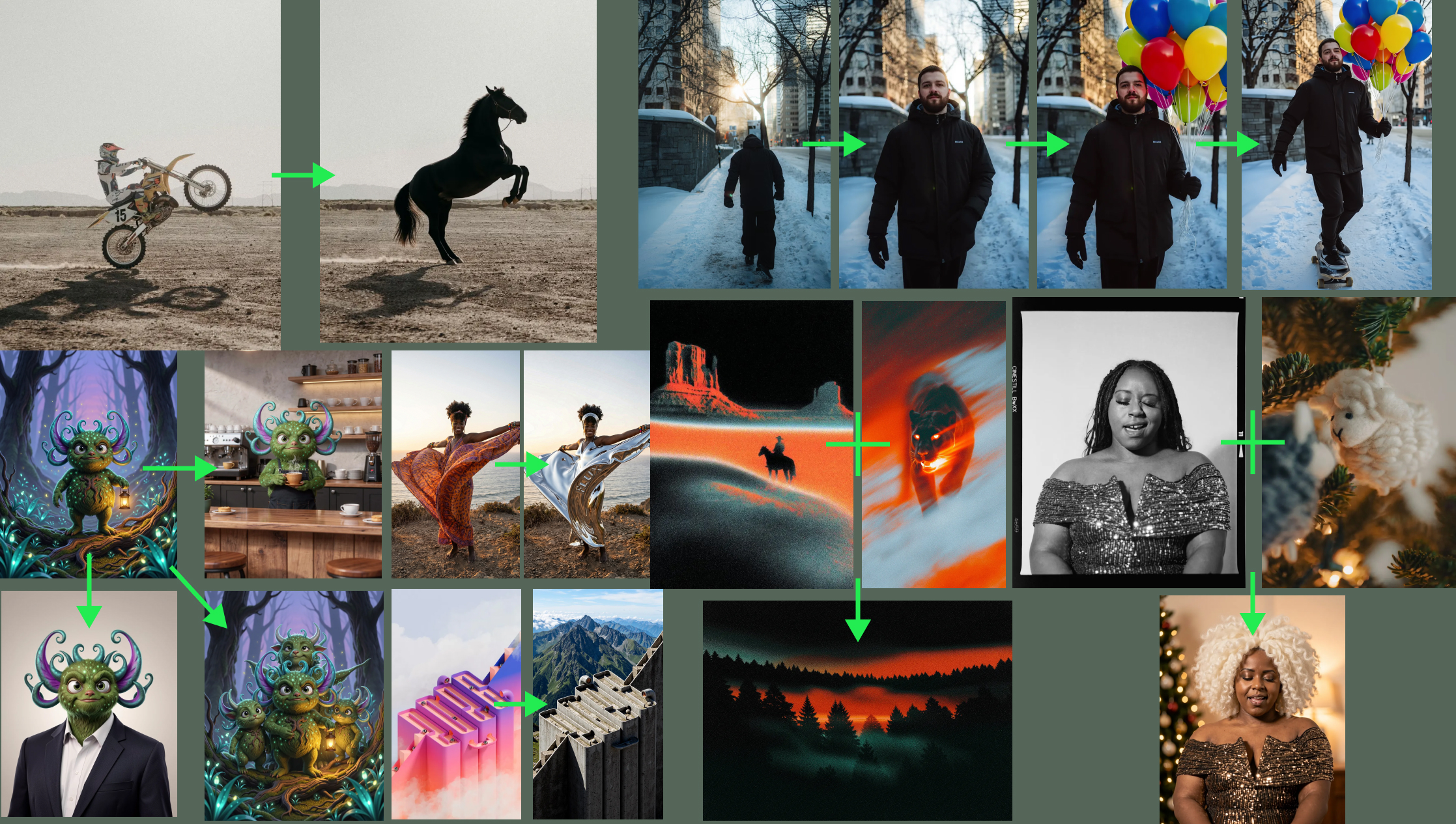
Keeping a character, a product and a style consistent across a set of images
Four mechanisms for stopping drift across a series: chained edits, locked constraints, reference images and structural conditioning, with the limits each one has.
- AI
AI · · 7 min read
Directing a video model: the shot language Veo actually understands
Shot composition, camera moves, lens effects, lighting and sound are all promptable. Google's own quickstart lists the vocabulary, and the limits around it.