


AI · · 8 min read
Change one thing in the photo and nothing else
Every AI edit is a re-render, not a mask. The prompt shape that holds a frame still, five recipes to copy, and the checks to run before it leaves your desk.
Ask an image model to remove one object and it redraws the entire picture. That is the single fact that explains every frustrating edit you have had: the chair changed, and so did the window frame, the light fitting and the crop. Nothing was masked, nothing was preserved, the model simply generated a new image that mostly agrees with the old one.
Once you accept that, editing becomes a craft you can control. You control it with an explicit list of what must not change, by keeping the canvas identical, and by making one change per pass. Here are the prompt shapes and the checks, built on the guidance and published examples in OpenAI's GPT image prompting guide and Google's Nano Banana quickstart, both read on 21 September 2026.
Look at what "surgical" really means
This pair is OpenAI's own example of a precision interior edit. The instruction was to replace only the chairs with wooden ones and preserve the camera angle, room lighting, floor shadows and surrounding objects.
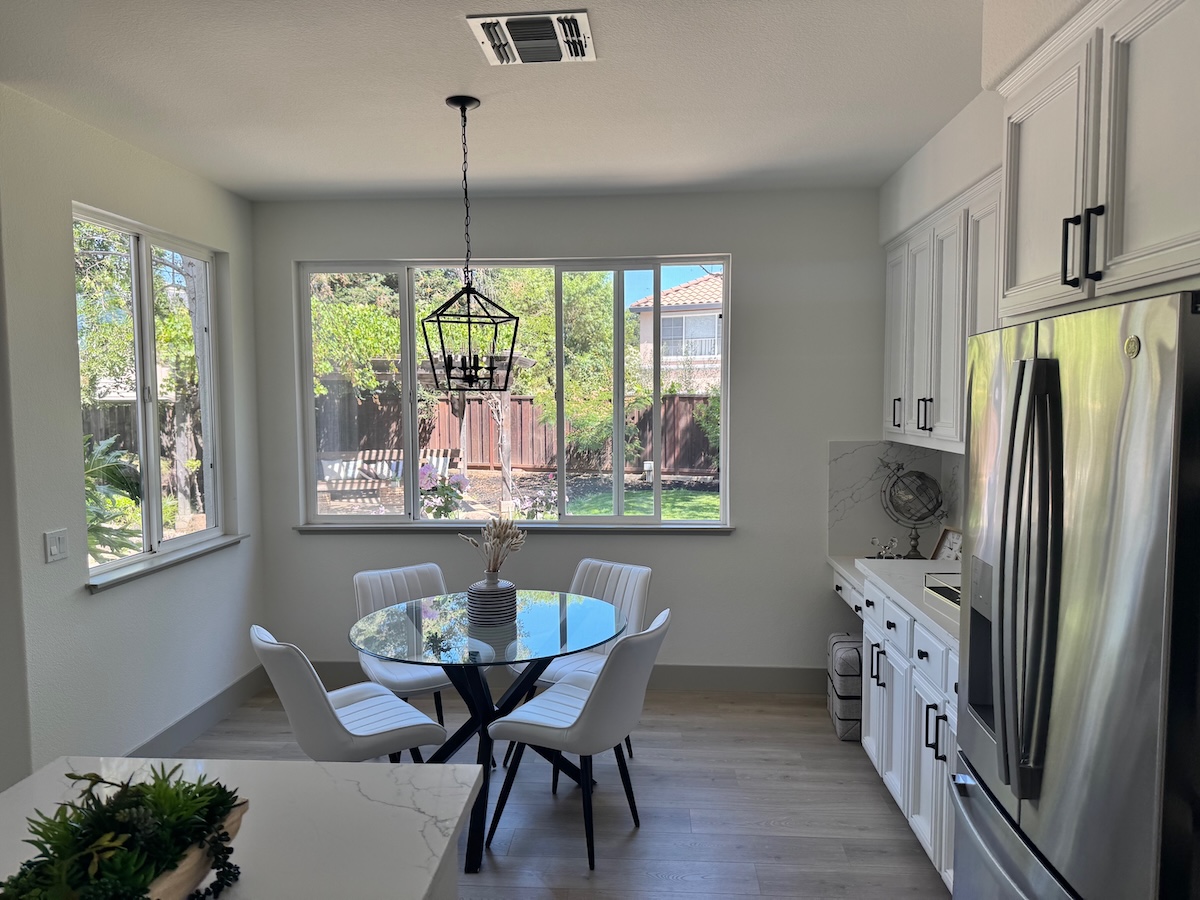
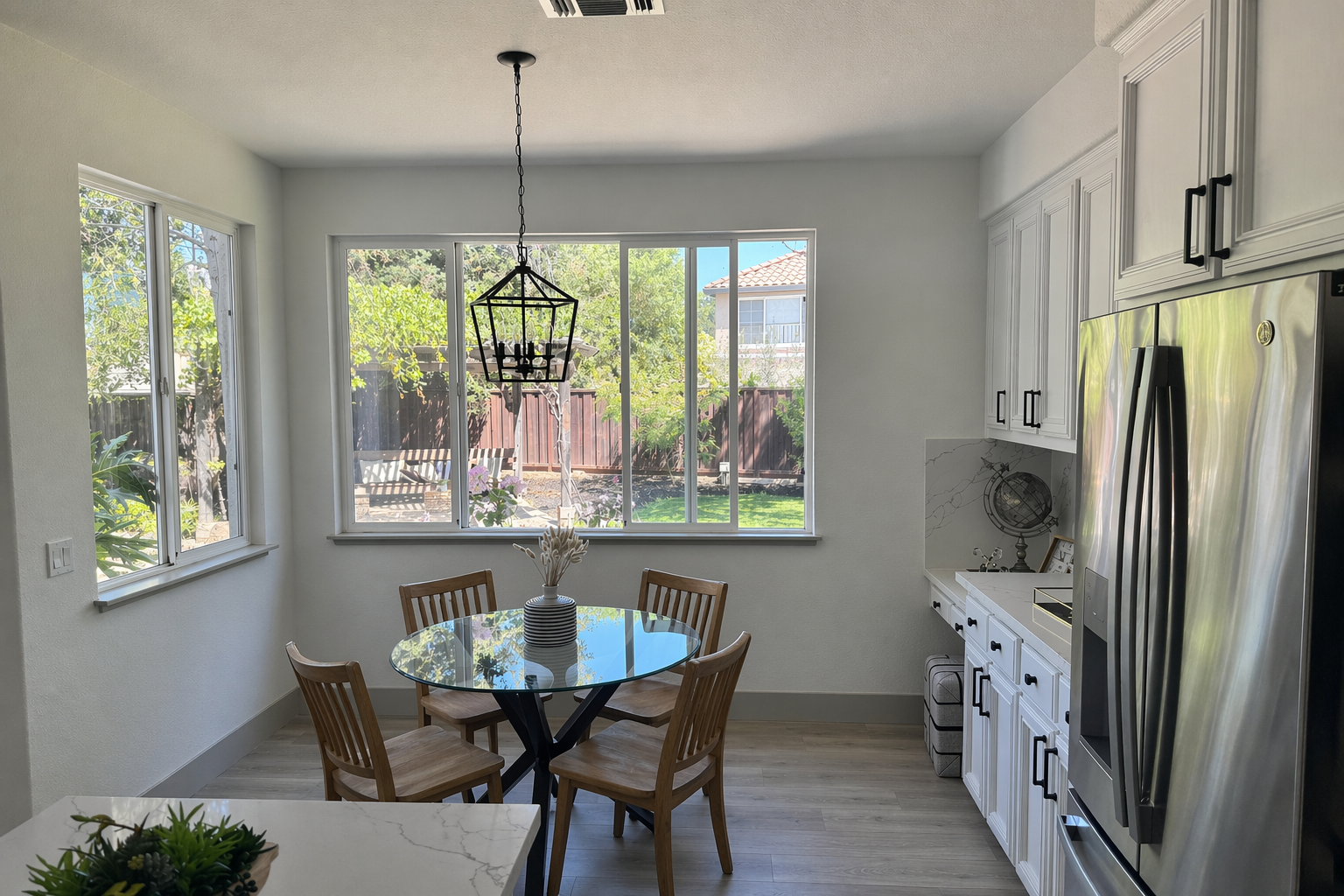
The chairs are right. The lantern pendant grew and moved up, the garden through the window was reinvented, the window and sill proportions shifted, and the whole frame is wider because the request asked for a wider format than the original photograph. If that image were a real estate listing or a furniture catalogue, half of those changes would be a problem and the client would spot them.
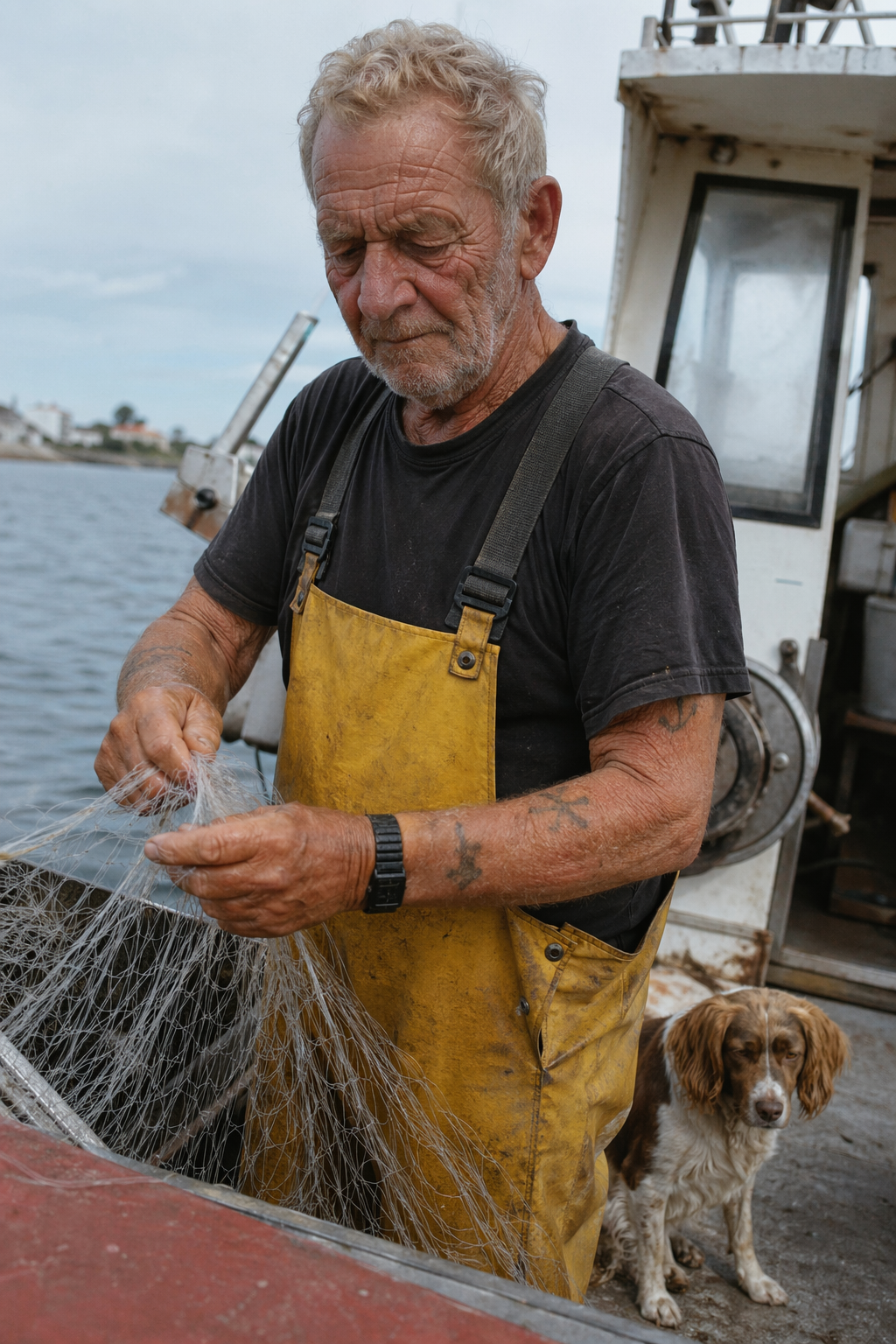
Second example, same lesson. OpenAI's object removal prompt was, in full: "Remove the flower from man's hand. Do not change anything else."
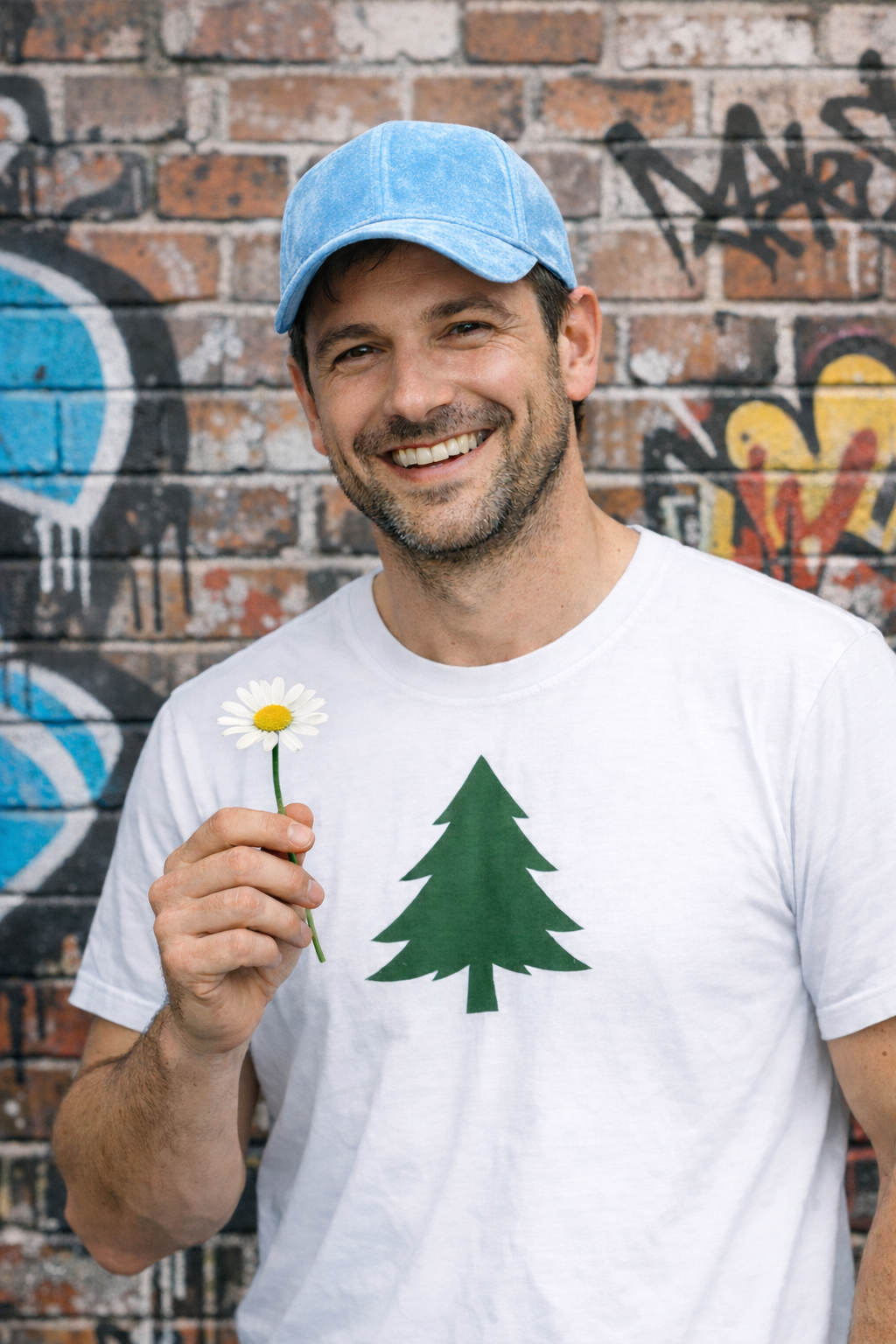
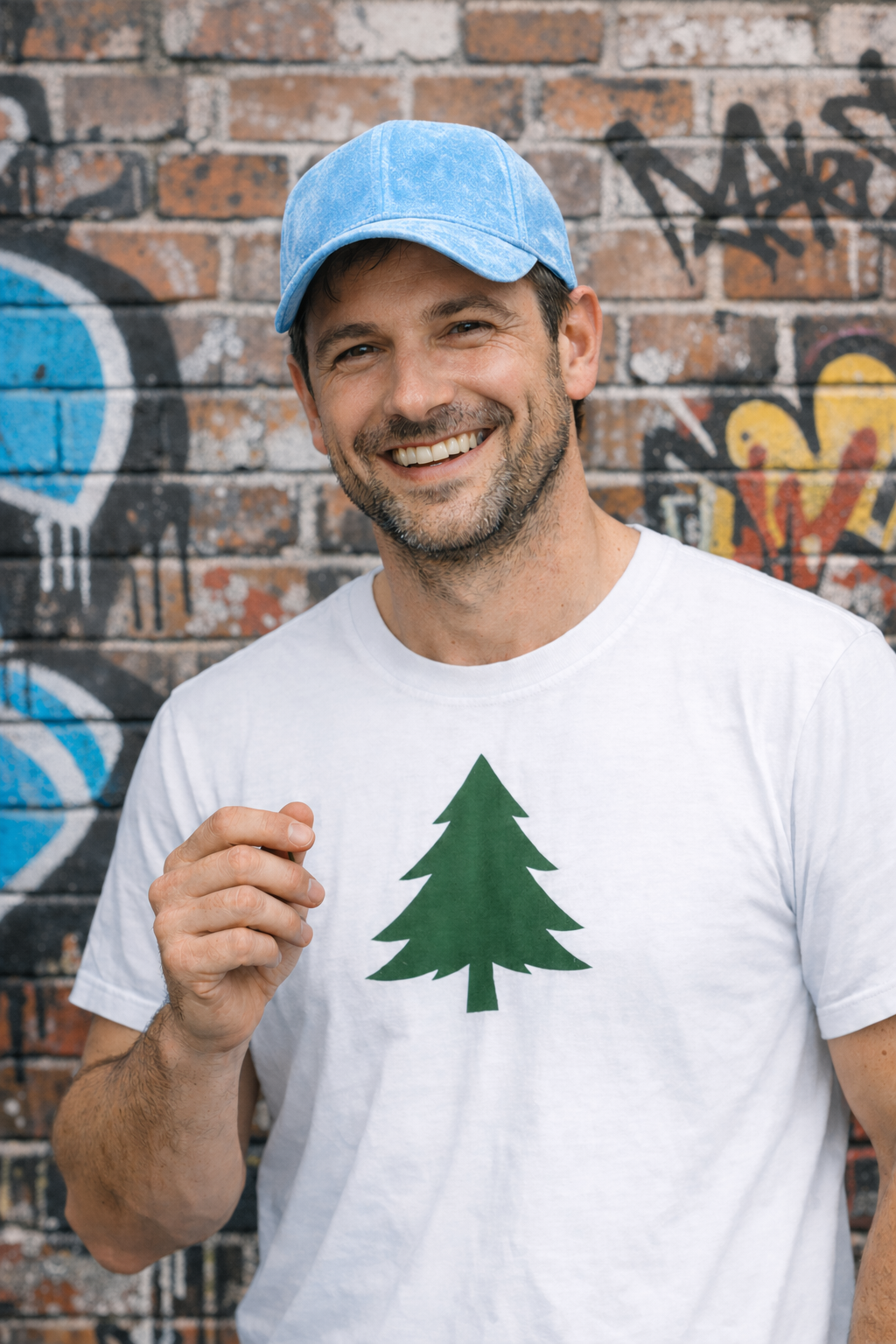
The removal is clean. The hand kept the grip, which is the sort of detail nobody notices in a thumbnail and everybody notices at full size. When you remove an object that a person is interacting with, you have to say what the body should do instead.
The prompt shape
Write every edit in four parts, in this order.
- The change. One sentence, one change.
- The preserve list. Named, specific, boring.
- The exclusions. What must not appear.
- The output. Same size as the input unless you want a re-crop.
OpenAI's guide puts the principle bluntly: for edits, use "change only X" plus "keep everything else the same", and repeat the preserve list on each iteration to reduce drift. It goes further for precise work, advising that you also say not to alter "saturation, contrast, layout, arrows, labels, camera angle, or surrounding objects".
That last line is the one people skip, and it is the one that saves the diagram, the packaging label and the brand colour.
Five recipes
1. Remove an object, and fix what it leaves behind
Remove the [object] from [where it is].
Change only that. Keep everything else the same: the person's face,
expression, hair, pose, clothing and skin texture; the background,
its graffiti and brickwork; the camera angle, framing and depth of field.
Redraw the [hand/surface] naturally for a state with no [object] in it,
with a relaxed, open hand rather than a grip.
Do not change saturation, contrast, colour temperature or crop.
2. Restage the light or the weather
Change only the lighting and weather: make it a winter evening with
falling snow, overcast sky, cool colour temperature, wet ground with
soft reflections.
Keep the composition, camera angle, lens, framing, and the position,
scale and geometry of every object exactly as they are.
Keep all text, logos and labels identical and legible.
Do not add or remove objects, people or vehicles.
3. Swap one object in a real room
In this room photo, replace ONLY the [object] with [new object].
Preserve the camera angle, room lighting, window light direction, floor
shadows, wall colour and every surrounding object, including the
[pendant/artwork/appliances] and the view through the window.
Photorealistic contact shadows and material texture on the new object.
Do not re-crop or change the aspect ratio.
4. Change a garment without changing the person
Replace only the clothing with the garments in the reference images.
Do not change her face, facial features, skin tone, body shape, pose,
hair or expression. Preserve her exact likeness and proportions.
Fit the garments to the existing pose with realistic fabric behaviour,
folds and occlusion. Match the lighting, shadows and colour temperature
of the original photo so the outfit does not look pasted on.
Do not change the background, camera angle, framing or image quality,
and do not add accessories, text, logos or watermarks.
5. Bring an element in from a second photo
Image 1: the scene. Image 2: the [dog/product/person] to insert.
Place the [subject] from Image 2 into Image 1, [exact position, for
example: on the table at the left, behind the glass].
Match the lighting direction, colour temperature, perspective, scale and
shadow softness of Image 1. Ground it with a realistic contact shadow.
Do not change anything else in Image 1: background, framing, other
objects, or the people already in the scene.
Reference multiple inputs by index and describe what each one is for, which is the pattern OpenAI recommends for compositing.
The settings that change the result
Size. This is the one that quietly re-crops your picture. If you pass a different size to the edit than the input photo's shape, you get a new composition. Ask for the same dimensions as the input. gpt-image-2 accepts any size whose edges are multiples of 16, inside a 3:1 ratio limit and a maximum edge under 3840px, so matching the original is usually possible. The full set of constraints is in the sizes AI image models can actually give you.
Quality. OpenAI recommends comparing medium or high before shipping for identity-sensitive edits, close-up portraits and small or dense text. Drafting at low is fine, judging at low is not.
Input fidelity, with a caveat. OpenAI's own model table says input_fidelity is disabled for gpt-image-2 because output is already high fidelity by default, and lists low and high for gpt-image-1.5, gpt-image-1 and the mini model. Several of the guide's own gpt-image-2 examples still pass input_fidelity="high" anyway. Treat it as a no-op on the newest model and do not credit it for a good result.
Turn count. Make one change per turn and restate the preserve list every time. OpenAI's advice is to start from a clean base prompt and refine with small single-change follow-ups rather than one overloaded instruction.
The same move in other models
Nano Banana. Editing is conversational: you refer back with previous_interaction_id, which Google says maintains character and style consistency across edits without re-uploading the image. The preserve list still applies, because a chained conversation drifts as happily as a fresh one.
HunyuanImage-3.0-Instruct. Tencent documents image-to-image editing that adds elements, removes objects, changes styles and replaces backgrounds "while preserving key visual elements", plus multi-image fusion from up to three inputs.
FLUX.2 and Qwen-Image-Edit. Structural conditioning, where geometry is held and only the surface is repainted, is the most reliable way to keep a layout. That mechanism and the rest are covered in keeping a character, a product and a style consistent.
Sign off like a retoucher
Before it leaves your desk, do this in your editor, not in the chat window.
- Flick between before and after at 100 per cent. Not side by side, stacked. Your eye catches what moved.
- Check the edges of the edit. Contact shadow direction, reflections, where the object met the floor.
- Read every word in the picture. Labels, packaging copy, signage. Text gets redrawn and comes back subtly wrong.
- Check faces, hands and brand assets at full size. The invisible stem problem lives here.
- Compare the crop and the aspect ratio against the original.
- Composite the parts that must be exact. If a client logo or a real product label has to be pixel-perfect, paste the original back over the re-render. The model gave you a new picture, and a new picture is not a pixel-accurate copy of the old one.
FAQ
Why does the model change things I told it to keep?
Because it is generating a new image conditioned on the old one, not editing pixels. The preserve list biases the generation, it does not lock anything. That is why the fix is repetition plus a final composite in your own editor.
Is a mask better than a prompt?
When your tool offers one, a mask is a stronger constraint on where the change lands, and it is worth using for local retouching. It still does not guarantee the untouched area survives byte for byte, so the sign-off checks stay the same.
How many changes can I make in one prompt?
One, if you care about the result. Two related changes sometimes survive. Beyond that, drift compounds and you lose the ability to tell which instruction caused which side effect.
Can I edit a photograph of a real person or product this way?
Technically yes, and that is exactly where the risk sits. Get permission for likenesses, keep the original file, disclose retouching where your client or market requires it, and never let a re-render stand in for a factual product photograph.
Sources
- OpenAI, GPT Image Generation Models Prompting Guide, read 21 September 2026
- openai-cookbook repository, source of the published before and after images used above
- Google, Gemini built-in image generation, the Nano Banana quickstart, read 21 September 2026
- Tencent, HunyuanImage-3.0 repository, read 21 September 2026
More to read
Design · · 7 min read
Why it reads as AI, and the prompt words that cause it
The tell is rarely a sixth finger. It is polish: even light, immaculate surfaces, a centred subject and a warm grade. Here is what causes each one.
Design · · 6 min read
The sizes AI image models can actually give you, and how to art direct around them
Every model has hard ceilings on size and shape. The real numbers for Nano Banana and gpt-image-2, and what they mean for print, social and billboards.