


AI · · 7 min read
Google ships two image models. Here is when Imagen 4 is the right one
Google's own quickstarts describe two different products in one API: a dedicated text-to-image model with five aspect ratios, and a conversational one with fourteen.
For most design work, open Nano Banana. Reach for Imagen 4 when you want a plain text-to-image call that returns up to four options at once, when you need the person-generation guardrail switched on, or when you want a model that does nothing but generate so the result does not wander during a conversation.
That is the honest shape of the choice, and it comes out of Google's own quickstart notebooks in the google-gemini cookbook, read on 21 September 2026. Neither notebook claims one model makes better pictures than the other. They document two different tools, and the differences that matter to a designer are formats, editing, batching and guardrails.
The two families, side by side
| Imagen 4 family | Nano Banana family | |
|---|---|---|
| Google's framing | "Google's highest quality text-to-image models" | Gemini's built-in image generation and editing |
| Models | Imagen 4 (imagen-4.0-generate-001), Ultra (imagen-4.0-ultra-generate-001), Fast (imagen-4.0-fast-generate-001), plus Imagen 3 for old prompts | Nano Banana 2 Lite (gemini-3.1-flash-lite-image), Nano Banana 2 (gemini-3.1-flash-image), Nano Banana Pro (gemini-3-pro-image-preview) |
| Aspect ratios | 1:1, 3:4, 4:3, 16:9, 9:16 | 1:1, 2:3, 3:2, 3:4, 4:3, 4:5, 5:4, 9:16, 16:9, 21:9 on all three, plus 1:4, 4:1, 1:8 and 8:1 on 2 and Pro |
| Resolution | 1k default, 2k on supported models | 512px on Lite and 2, 1K on all, 2K and 4K on 2 and Pro |
| Images per request | 1 to 4, default 4. Ultra generates one at a time | Multiple images in one interaction if you ask for them |
| Editing | Not documented in the quickstart | Yes, chained with previous_interaction_id |
| Grounding | None documented | Google Search grounding on 2 and Pro, image grounding on 2 |
| Watermark | "A non-visible digital SynthID watermark is always added to generated images" | Not stated in the quickstart |
| Free tier | No. Image generation is a paid-only feature | Yes, on Nano Banana 2 Lite |
The sentence that explains the split
The Nano Banana quickstart carries one line about its sibling: "Note that Imagen models also offer image generation if you are looking for dedicated diffusion-based text-to-image generation."
Read that as a job description. Imagen is the specialist that takes a caption and returns pictures. Nano Banana is the generalist that holds a conversation, edits what it made, looks things up and composes from your references. If your workflow is "write a brief, get four options, pick one, take it into Photoshop", the specialist is a clean fit. If your workflow is "get close, then say make the jacket navy and keep her face", the generalist is the only one of the two that Google documents for the job.
Format is the first fork, and it is decisive
Imagen gives you five aspect ratios. Nano Banana 2 and Pro give you fourteen, including the extreme panoramics.
That single row settles a lot of briefs. A 4:5 post, the portrait format most social feeds are built around, is not in Imagen's list. Nor is 21:9. You would generate 1:1 or 3:4 and crop, which means giving up control of the composition you just art directed. Nano Banana prints the pixel dimensions for each ratio at 1K, so a 4:5 comes back at 896x1152 and a 21:9 at 1536x672. The full set of numbers, and what they mean for print and out-of-home, is in the sizes AI image models can actually give you.
Resolution splits the same way. Imagen tops out at 2k on supported models. Nano Banana Pro goes to 4K, and Lite and 2 drop to 512px when you want thumbnails fast.
Where Imagen earns its place
Four options per call. Imagen's sampleCount defaults to 4 and accepts 1 to 4, so one request gives you a spread to react to, which is exactly how most of us work on a first pass. Ultra is the exception and returns a single image, which is the trade for its finer output.
A stable, unconversational result. Nothing in the Imagen path depends on interaction history, so the same prompt is the same instruction every time. That is a real advantage when you are producing variants of a house style rather than exploring.
The guardrail. personGeneration accepts dont_allow and allow_adult, with Google stating plainly that "Kids are always blocked". If you work on family retail, education or toys, that is worth knowing before the concept meeting rather than after: children in the frame need a photographer, not a prompt.
And prompt length. Google says the model "is trained on long captions and will provide best results for longer and more descriptive prompts. Short prompts may result in low adherence and a more random output." Three words will get you a shrug.
Where Nano Banana is simply the only option
Editing. The quickstart's edit path uses previous_interaction_id to refer back to the original interaction, which Google says "allows Gemini to maintain character and style consistency across edits without having to re-upload image bytes." Imagen's quickstart documents generation only.
Composition from references. Nano Banana 2 and Pro take up to 14 input images, six in high fidelity, and Lite takes three. That covers the ordinary campaign case of a product shot, a model, a location plate and a style reference.
Being right about the world. Search grounding on 2 and Pro pulls current information into the picture, and image grounding on 2 searches for reference images to keep specific species, landmarks and objects accurate.
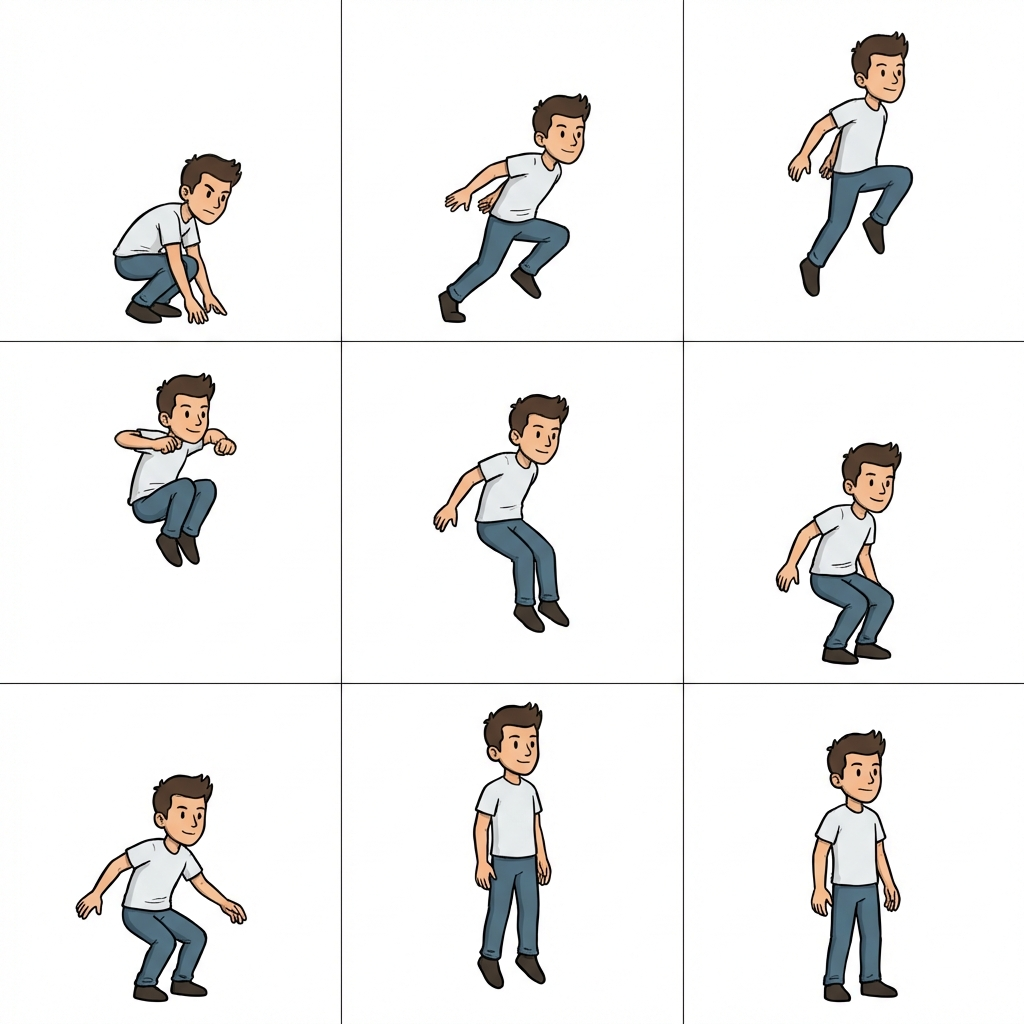
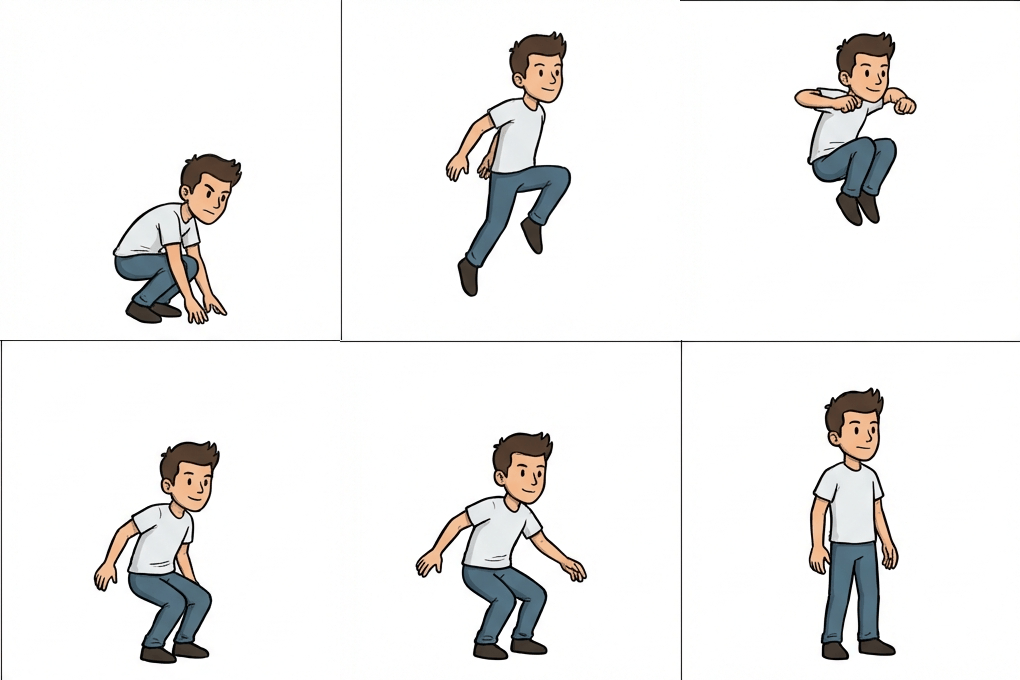
Grids in one pass. Google's own sprite example asks for a sheet of poses and gets a 3x3 grid on white, then turns it into an animation.
Check the model IDs against the REST guide
One practical warning, true at the time of writing. The Python quickstart's model picker lists imagen-3.0-generate-002 next to both Imagen 4 and Imagen 4 Ultra, which is the Imagen 3 identifier. The REST quickstart lists the correct set: imagen-4.0-generate-001, imagen-4.0-ultra-generate-001, imagen-4.0-fast-generate-001 and imagen-3.0-generate-002 for the previous generation.
If you hand a model name to a developer or paste one into a tool, take it from the REST guide. A stale ID is how a project quietly ships a generation-old aesthetic.
What neither notebook will tell you
Which one draws better hands. Whose skin holds up at 400 per cent. Which one keeps putting your subject dead centre. Documentation covers capability, never taste, and the only way to settle taste is to run your own brief through both and look hard at the results. A scoring sheet for that helps more than another feature list.
If you want the wider field rather than Google's two, the four families with proper public documentation are compared in which AI image model for which job.
FAQ
Is Imagen 4 better than Nano Banana Pro?
Google does not say so, and neither quickstart contains a quality comparison. Pick on capability: formats and batching favour Imagen for straight generation in its five ratios, while editing, grounding, 4K and wide formats are only in the Nano Banana column.
Do Google's images carry a watermark?
Google states it explicitly for Imagen: a non-visible SynthID watermark is always added. The Nano Banana quickstart says nothing about watermarking, and silence is not a promise either way. If a client contract turns on the presence or absence of provenance marks, check Google's product documentation and your own terms before you commit.
Can I generate images of children?
Not through the documented parameters. personGeneration offers dont_allow and allow_adult only, and Google says kids are always blocked. Plan those frames as photography.
Which model should I use for a 4:5 social post?
Nano Banana, any of the three. Imagen's documented ratios do not include 4:5, so you would be cropping a 1:1 or 3:4 and losing the composition you chose.
Is any of this free to try?
Nano Banana 2 Lite has a free tier, per Google's quickstart. Imagen does not: the notebooks note that image generation is a paid-only feature that will not run on the free tier.
Sources
- Google, Get started with image generation, REST API quickstart, read 21 September 2026
- Google, Get started with image generation, Python quickstart, read 21 September 2026
- Google, Gemini built-in image generation, the Nano Banana quickstart, read 21 September 2026
- google-gemini/cookbook repository, source of the published sprite sheet and animation above
More to read
AI · · 8 min read
Change one thing in the photo and nothing else
Every AI edit is a re-render, not a mask. The prompt shape that holds a frame still, five recipes to copy, and the checks to run before it leaves your desk.
Design · · 7 min read
Why it reads as AI, and the prompt words that cause it
The tell is rarely a sixth finger. It is polish: even light, immaculate surfaces, a centred subject and a warm grade. Here is what causes each one.